A weekend with Need for Speed 4
What it took to make a 1999 racer look good on a 4K monitor: community mods, AI-upscaled textures and sharper handling, plus what failed and the scripts I used.
Need for Speed: High Stakes came out in 1999. I enjoyed it as a teenager, and playing it now makes me nostalgic for those years. I wanted to see how good it could look on a 4K monitor today without losing what makes it fun.
The modding scene is still going, and new mods came out only days before I started. Most of the work here is theirs. I put the pieces together, added AI-upscaled textures and tuned the handling. All of it is listed below, including what failed.
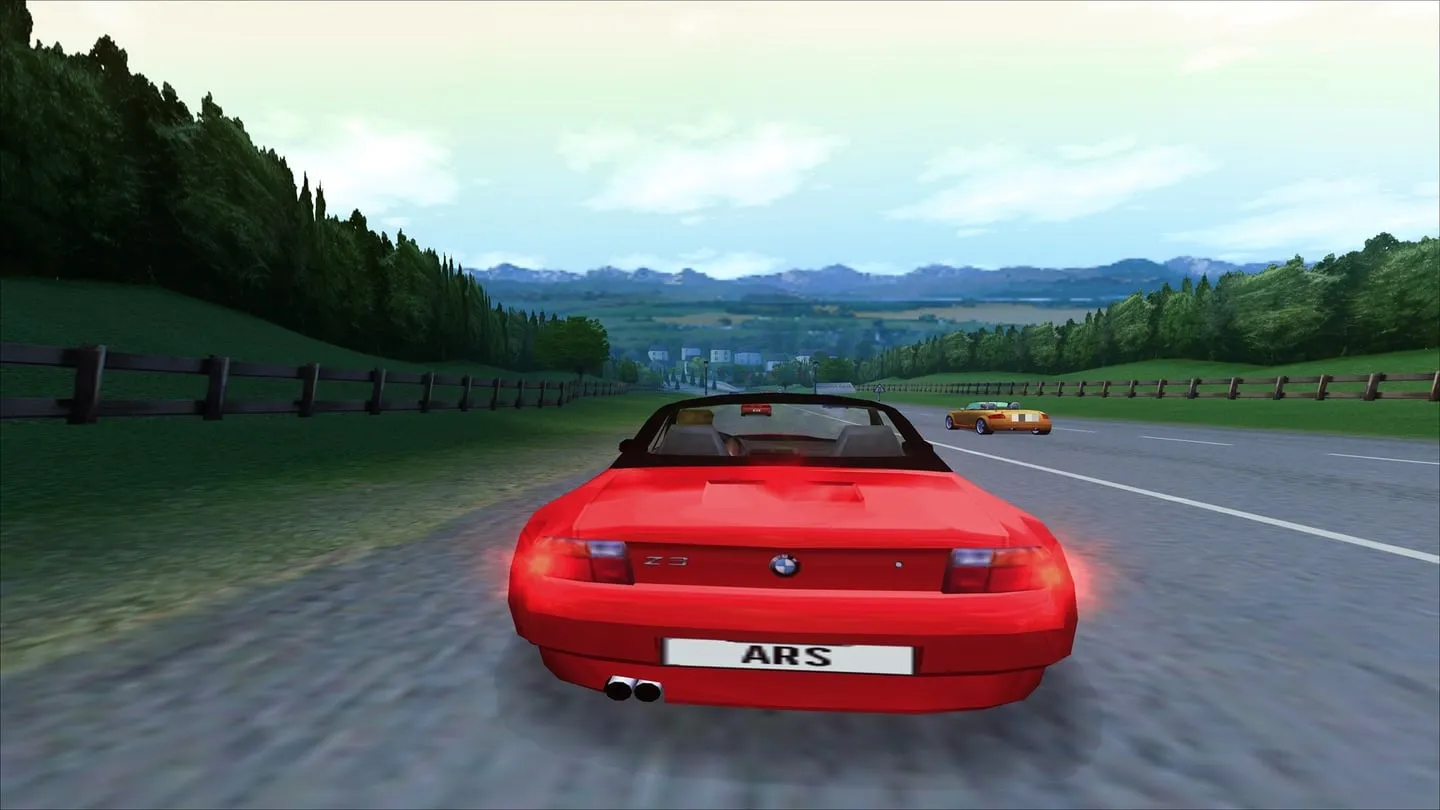
What changed
- The game renders at full 4K with smooth edges, in a borderless window that a pop-up can’t knock over.
- Track textures, skies and effects such as smoke and spray are sharper, thanks to an AI upscaler.
- Newer remakes of three tracks replace the old versions.
- The handling is tighter in turning and braking.
- The AI opponents are named after my friends. This one is just for fun.
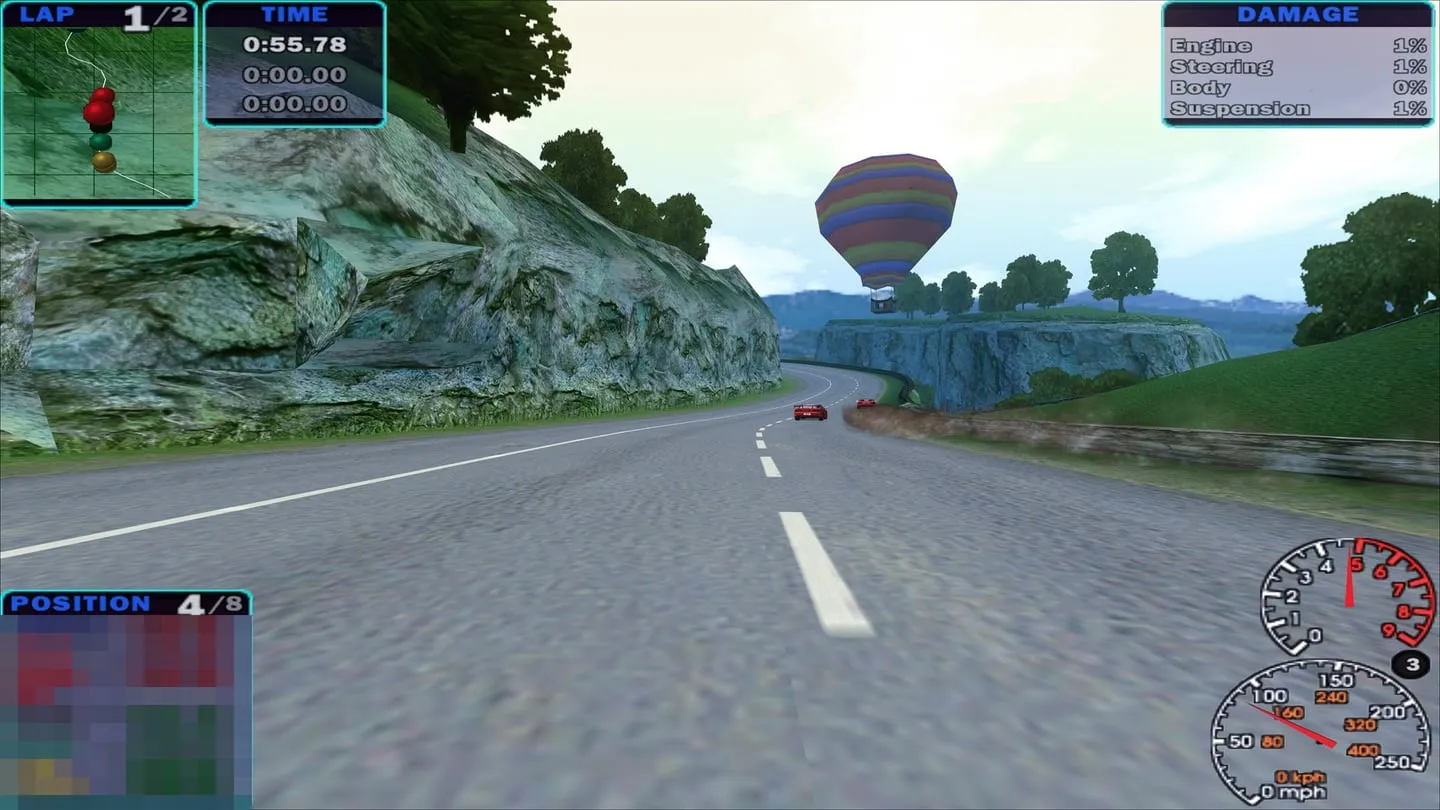
Before you start
You need your own copy of the game. I can’t share game files or the upscaled textures, because they’re made from EA’s artwork. What I can share is the scripts and settings, and a link to each mod’s own page.
Work on a copy. Mods overwrite files and you will want a way back, so copy the game to a new folder and keep the original safe.
Change one thing at a time, then test, so that when something breaks you know which change did it. I kept a note of every change.
My PC runs Windows 11 with an RTX 3070 and a 4K monitor.
The base: Modern Patch and the HD pack
Two community projects do the heavy lifting. VEG’s Modern Patch gets the game running properly on modern Windows. Hommelwomb’s All in One HD Mod Pack (892 MB) adds HD cars and tracks, widescreen, ReShade and a good deal more. Its page has the install steps. Afterwards you run nfs4.exe, not nfshs.exe.
One trap: the game crashes on start if it has too many cars. On my install 79 cars worked and 80 crashed. The pack has 78, so I had room to keep one car from my old install, a Lister Storm.
Glide, if you want it
The game was built for 3dfx Voodoo graphics cards, which used a system called Glide. A tool called dgVoodoo translates Glide into something modern graphics cards understand.
The HD pack takes a different route by default. I compared the two in a race and preferred Glide, especially for smoke and effects. That’s a matter of taste, and you can skip this part.
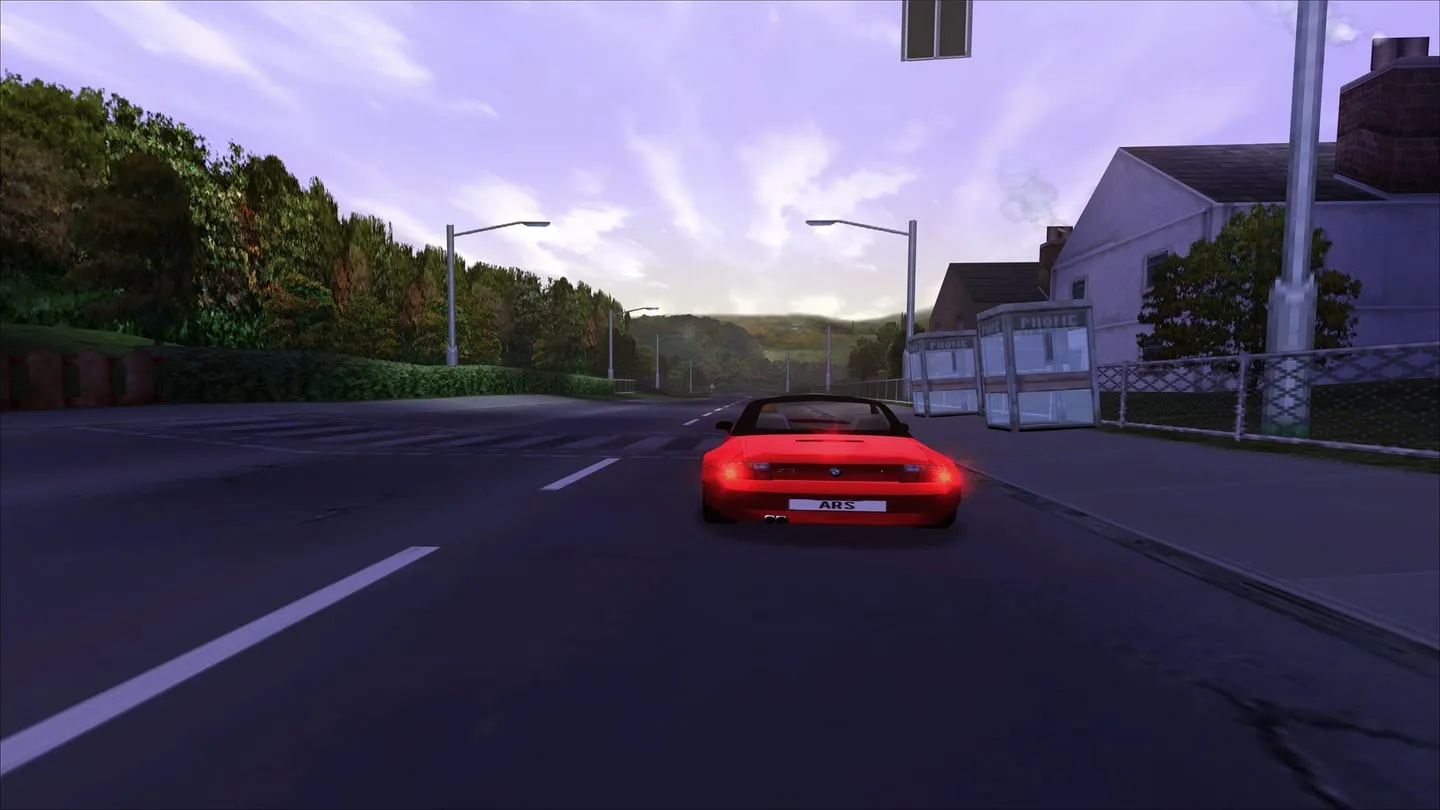
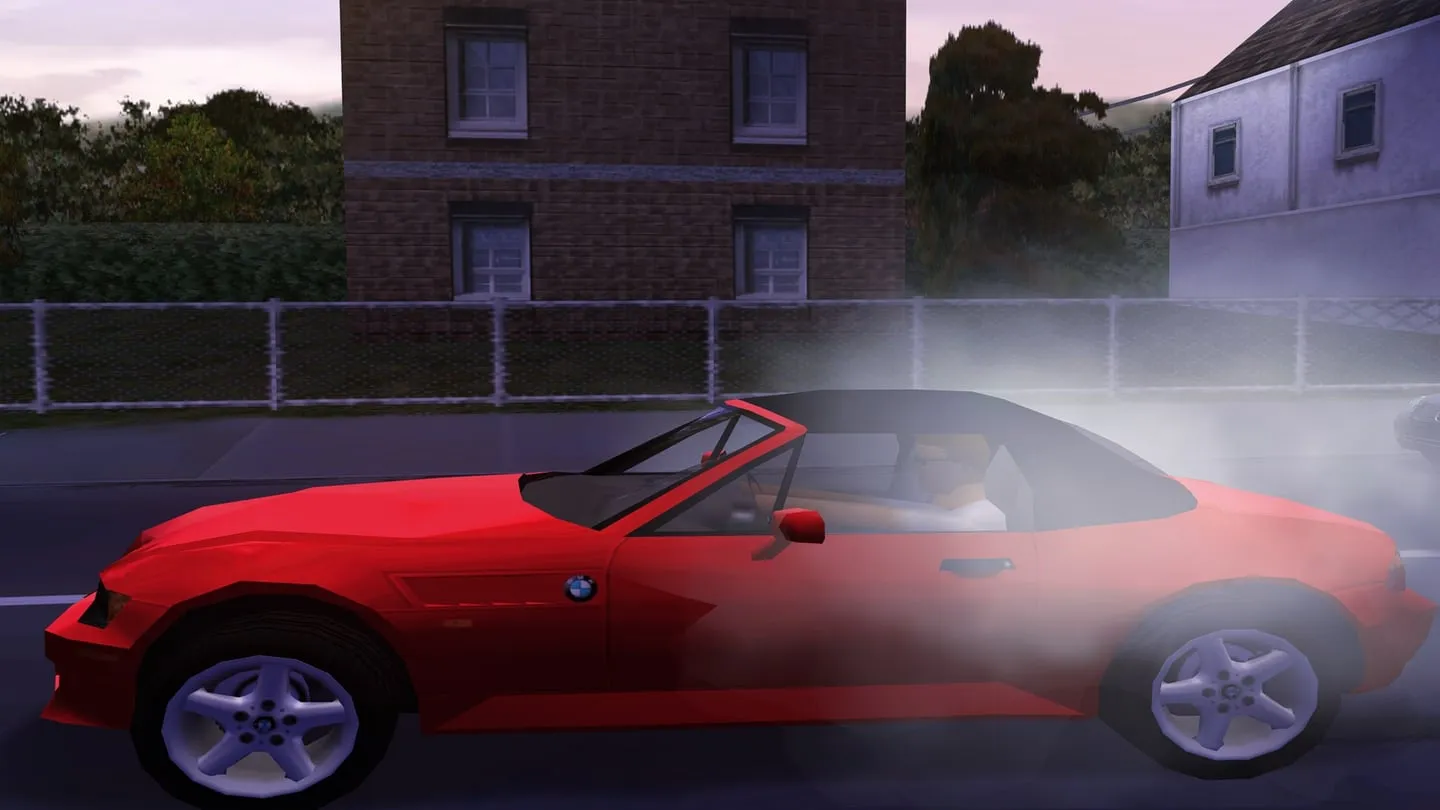
There is a catch. The widescreen fix drew a line across the road that moved with the car, so on Glide I run without it. The picture is stretched to fill the screen rather than being true widescreen, which is why the cars in these screenshots look too wide. The download has the exact files and settings, including the one that keeps the shapes correct with black bars at the sides.
The “1600 x 1200 x 16” in the menu
This looks like a limit on sharpness, but it isn’t one. dgVoodoo is set to render at the desktop’s resolution whatever the menu says, and ReShade’s log shows the real size: 3840 × 2160. You can leave the menu alone.
The “x 16” is the game’s 16-bit colour mode, and I found no 32-bit switch for this route.
Upscaling the textures
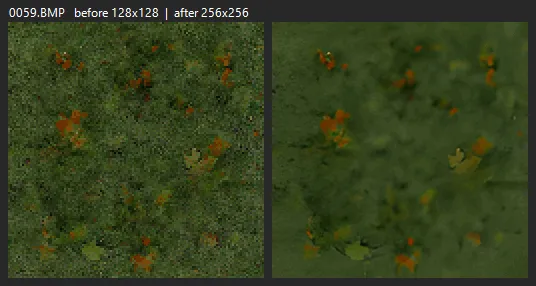
This is what made the biggest visible difference for me. A game texture is a small image: a brick wall, a road sign, a patch of grass. Many are only 64 or 128 pixels wide, so they look blocky on a 4K screen.
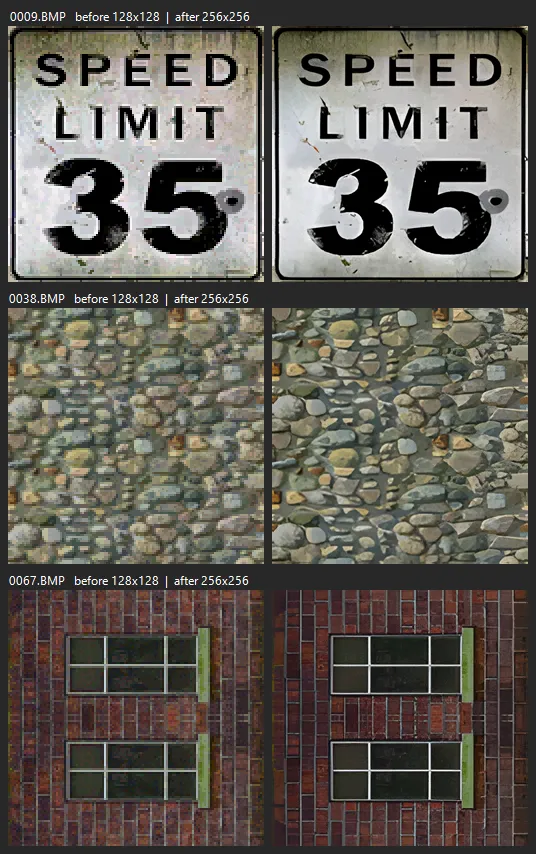
The process is simple to describe:
- Unpack a track’s texture file into normal images with FSHTool, a tool from the early 2000s.
- Enlarge the images with Real-ESRGAN, a free AI upscaler.
- Pack them back and test the track.
A script does this for every track, with a backup first, and it took about half a minute per file. On Hometown, 140 textures grew, and the number at the full 256 pixels went from 25 to 174.
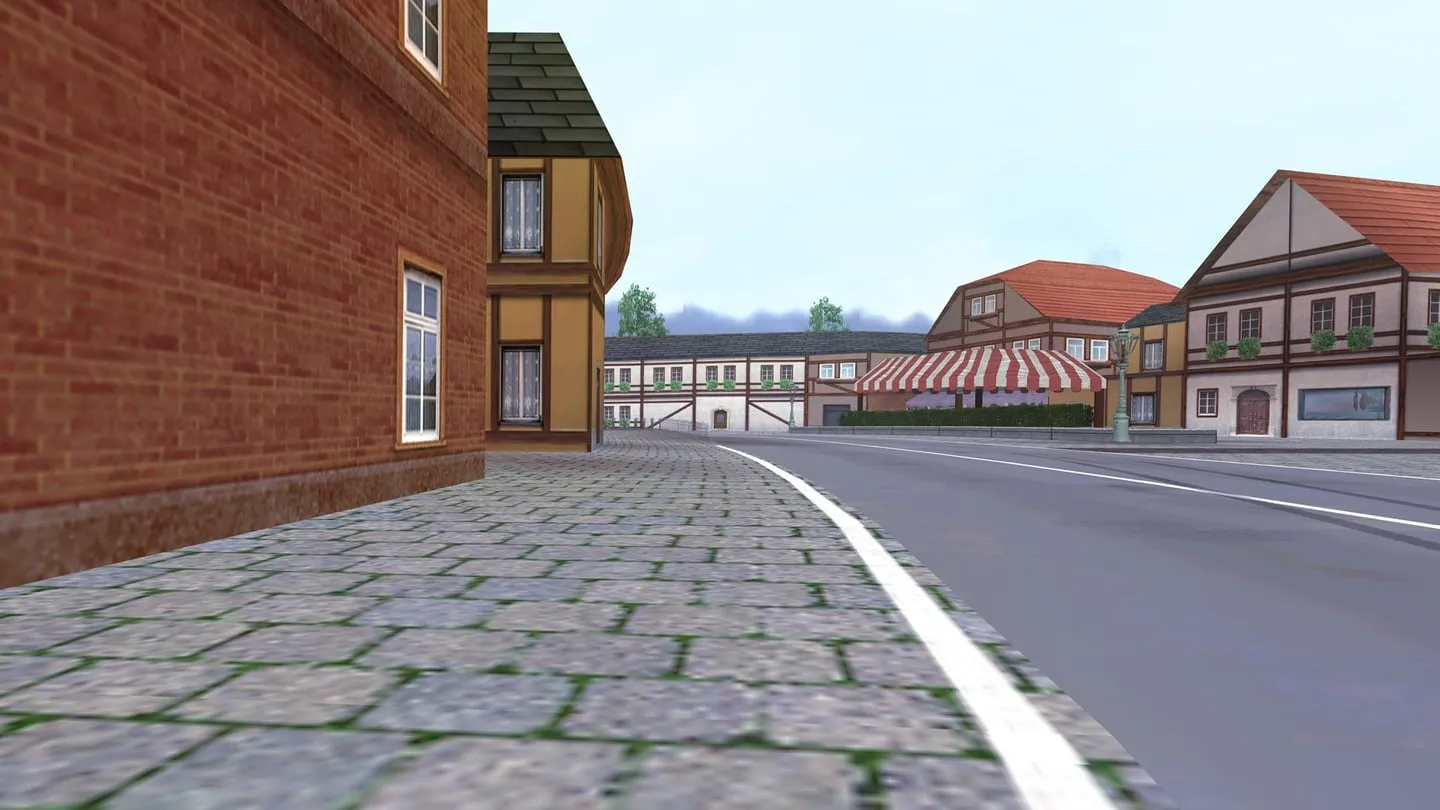
I ran into some limits along the way.
256 pixels. Cards from that era topped out at 256 × 256, so that’s as far as I went.
16 MB. The compressed file format can only hold 16 MB of unpacked data. My first try kept full colour, came to 39 MB and was unusable, so the textures stay in 256-colour mode like the originals. Snowy Ridge was too big even then and stopped at 128 pixels.
The AI invents detail. Road signs and windows come out great. Grass sometimes turns soft, and skid marks got blurrier, so look at the results before you keep them.
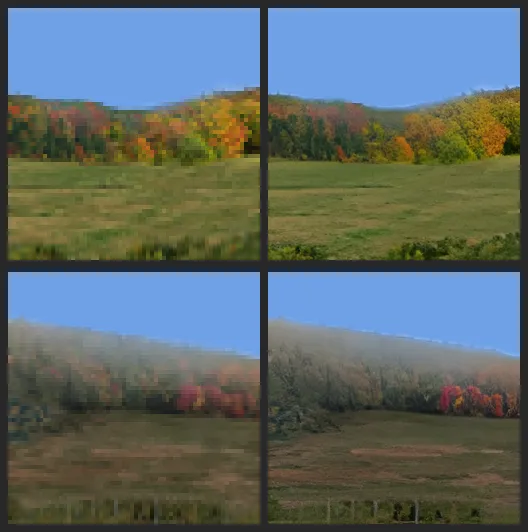
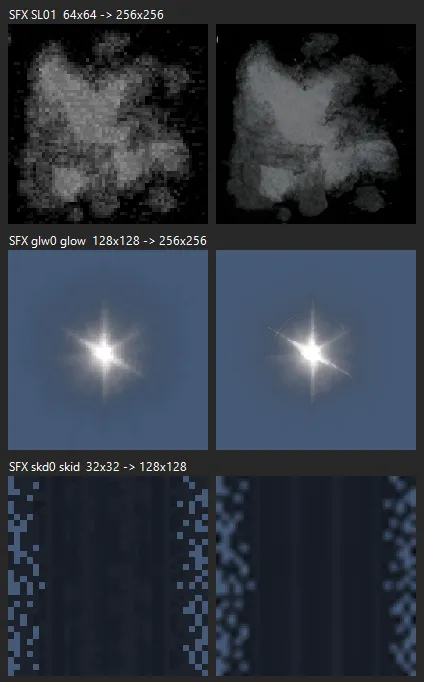
I did the same for the skies, and for effects such as smoke, spray and rain.
ReShade and sharpening
ReShade adds visual effects on top of a game. The pack ships an old version, so I updated it to 6.8 and swapped its sharpening effect for CAS, which brings out detail on asphalt and grass with fewer halos around edges. I preferred it, and it’s a small change you can undo.
The pack’s old sharpening effect also showed a small Depth3D credit on screen. The shader asks for the credit to stay, so I replaced the effect instead of editing the credit out.
Newer tracks and n4patch
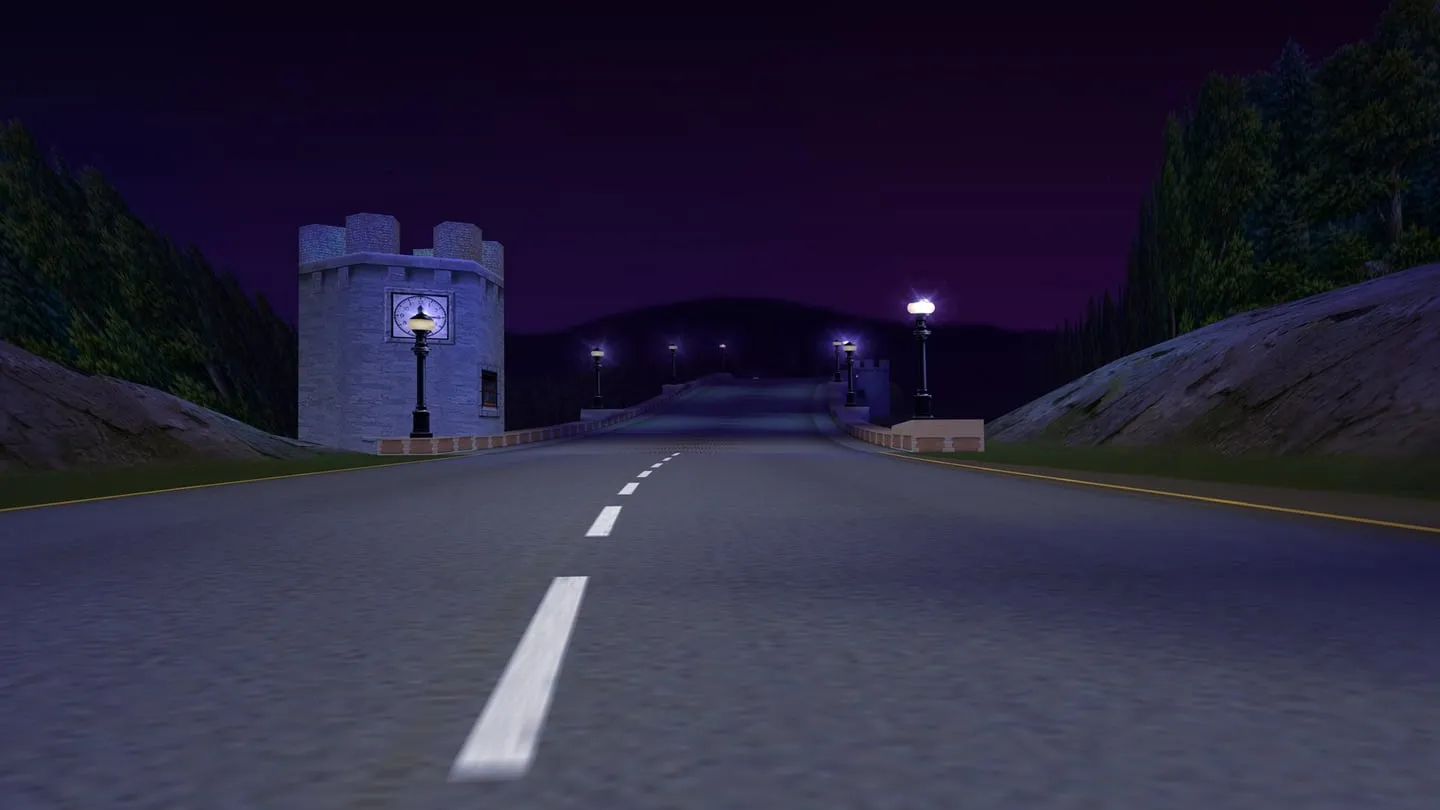
NFSAddons is the place to look for tracks. I installed three remakes:
- Celtic Ruins HD by Hommelwomb
- Snowy Ridge remastered by Michael H.
- Redrock Ridge remastered by Michael H. and pete9516
n4patch adds fixes and features while the game runs, without changing the game’s files. I added an uphill physics fix, a best-lap display, a Race Again option, mouse look in the cockpit and a free camera for replays. It shows a small credit on the main screen, and I left that in place.
I can’t tell you yet how good any of this is. The tracks and the n4patch features are installed and the game starts with them, but so far I’ve only raced Celtic Ruins, once, at night. Redrock Ridge isn’t even unlocked in my career yet. Treat this part as a list of what I installed and not as a recommendation.
Sharper handling
The cars felt too soft in turning and braking. Each car has a text file of physics values, so I changed seven of them:
| Setting | Change | What it does |
|---|---|---|
| Turn-in ramp | × 0.7 | Steering reacts sooner |
| Turn-out ramp | × 0.8 | Steering straightens sooner |
| Minimum steering acceleration | × 1.3 | Quicker steering |
| Lateral grip | × 1.15 | More grip in corners |
| Maximum braking | × 1.2 | Stronger brakes |
| G-transfer | × 0.8 | Weight shifts less |
| Pitch and roll | × 0.7 | Less body roll |
I tried it on the Ferrari 360 Modena first, thought it was “not bad”, and then applied it to all the cars. That includes traffic and police cars, so nobody gets an unfair advantage. I don’t have a verdict on the others yet.
The setting names and what they mean come from the community’s Handling Customizer. I used a script because it keeps each value at the same length, which leaves the layout of the car’s file untouched.
This is a first guess at a good setup, so treat the numbers as a starting point.
Racing your friends, by name
The opponents’ names sit in a plain list inside nfs4.exe, and you can swap them. A new name can’t be longer than the old one, which leaves 7 letters at most. A career save also keeps its own copy of the names, so the script updates that too. They now show up in the standings and on the opponents’ number plates.
My first attempt wrote the save-file names one byte off and garbled them. That’s why you back up first: I restored the files, fixed the script and ran it again.
Two small fixes
Pop-ups. A Teams notification used to upset the game. One dgVoodoo setting (FullscreenAttributes = fake) runs it in a borderless window at full screen size, and notifications and Alt+Tab stopped being a problem.
3D sound. Modern Windows dropped the sound hardware features the game expects, and DSOAL brings them back. On my stereo soundbar I could hardly hear a difference, though it caused no problems. Headphones or real surround should gain more.
What didn’t work
Sharper menus and speedometer. I upscaled them and got a giant yellow blob over the menu. These pieces are drawn at their pixel size in fixed spots, so a bigger image just appears bigger. I restored the originals. Only the 3D world benefits from bigger textures.
Ambient occlusion (soft shadows in corners). This ReShade effect needs depth information, and the 8x edge smoothing blocks it. Turning the smoothing off looked worse to me, so I took the effect out.
Windows Defender’s warning. During a backup, Defender flagged dgVoodoo’s control panel (dgVoodooCpl.exe) as Trojan:Win32/Malgent!MTB and quarantined it. It’s probably a false alarm, since it’s a generic detection on a file that had been there for over a year, but I can’t prove that. The game doesn’t need the control panel, because its settings are in a text file. Make your own call on it, and don’t turn off your antivirus because a blog said so.
How I actually did this
I don’t know how to reverse-engineer a 1999 game. I worked with Claude Code, an AI coding agent, which wrote the scripts, inspected the file formats and made the changes on my PC. I decided what to try and judged the results by racing. I also asked Gemini for ideas.
The AIs were useful, and they were also wrong sometimes. Gemini knew about recent mods that Claude had failed to find, but it also described a bug on a “Monte Carlo” track that doesn’t exist in this game, and a setting that the patch’s readme doesn’t mention. Claude mixed up two tracks in its notes. So we checked each claim against the actual files or web pages before acting on it, and every change got a backup and a note.
Download and credits
The download (a 22 KB zip) has the scripts, the exact settings and the instructions. It contains no game files or mods. The scripts are free to reuse under the MIT licence. They were written for my install, so read them first and run them on a copy of the game, at your own risk.
All credit for the hard parts goes to these people and projects:
- VEG: Modern Patch
- Hommelwomb: All in One HD Mod Pack, Celtic Ruins HD
- Michael H. and pete9516: remastered tracks
- nfs4.com: n4patch and its modules
- Dege: dgVoodoo
- crosire: ReShade
- CeeJayDK: SweetFX, the CAS shader port (CAS itself is by AMD)
- kcat: DSOAL and OpenAL Soft
- xinntao: Real-ESRGAN
- Denis Auroux: FSHTool
- Silent (CookiePLMonster): SilentPatch
- Felix Krull: Widescreen Fix
- Scarface: High Stakes Handling Customizer