Free · open source · read-only
AI readiness check
See what Copilot or Gemini could reach in your organisation, before you switch it on.
- Microsoft 365
- Google Workspace
- Python, no dependencies
- Apache 2.0
An AI assistant gets no new access when you switch it on. It gets everything each person can already open, and it is very good at searching it.
Survey figures: Humanitarian Leadership Academy and Data Friendly Space, January 2026. Microsoft’s own oversharing reports come with the first assigned Copilot licence or a paid add-on, according to Microsoft’s licensing guidance, though the SharePoint Advanced Management prerequisites page is unclear about Business plans. Google lists data loss prevention only for its Google Workspace Enterprise editions.
What it finds
Folders and sensitive files open to anyone
Lists, case files and whole folders anyone with the link can open without signing in, the commonest way they leak. Folders count whatever their names, because the check does not look inside them. Other files open to anyone are Fix soon.
Files open to the whole organisation
What an assistant can surface for every colleague, whoever shared it years ago.
Names that look sensitive
Beneficiary lists, case notes, passport scans, salaries, AI meeting notes, shared with the whole organisation or outside it. English, French, Spanish, Arabic and German, plus your own words, such as programme names.
AI apps on staff accounts
Meeting bots and AI tools people connected to their mail, files or calendar.
How far data can travel
Whether staff can connect apps on their own, and how widely files can be shared outside.
Sign-in protection
Whether accounts lack 2-step verification, whether MFA is enforced at all, and, on Microsoft 365 with Conditional Access, whether device code sign-in is blocked.
What you get
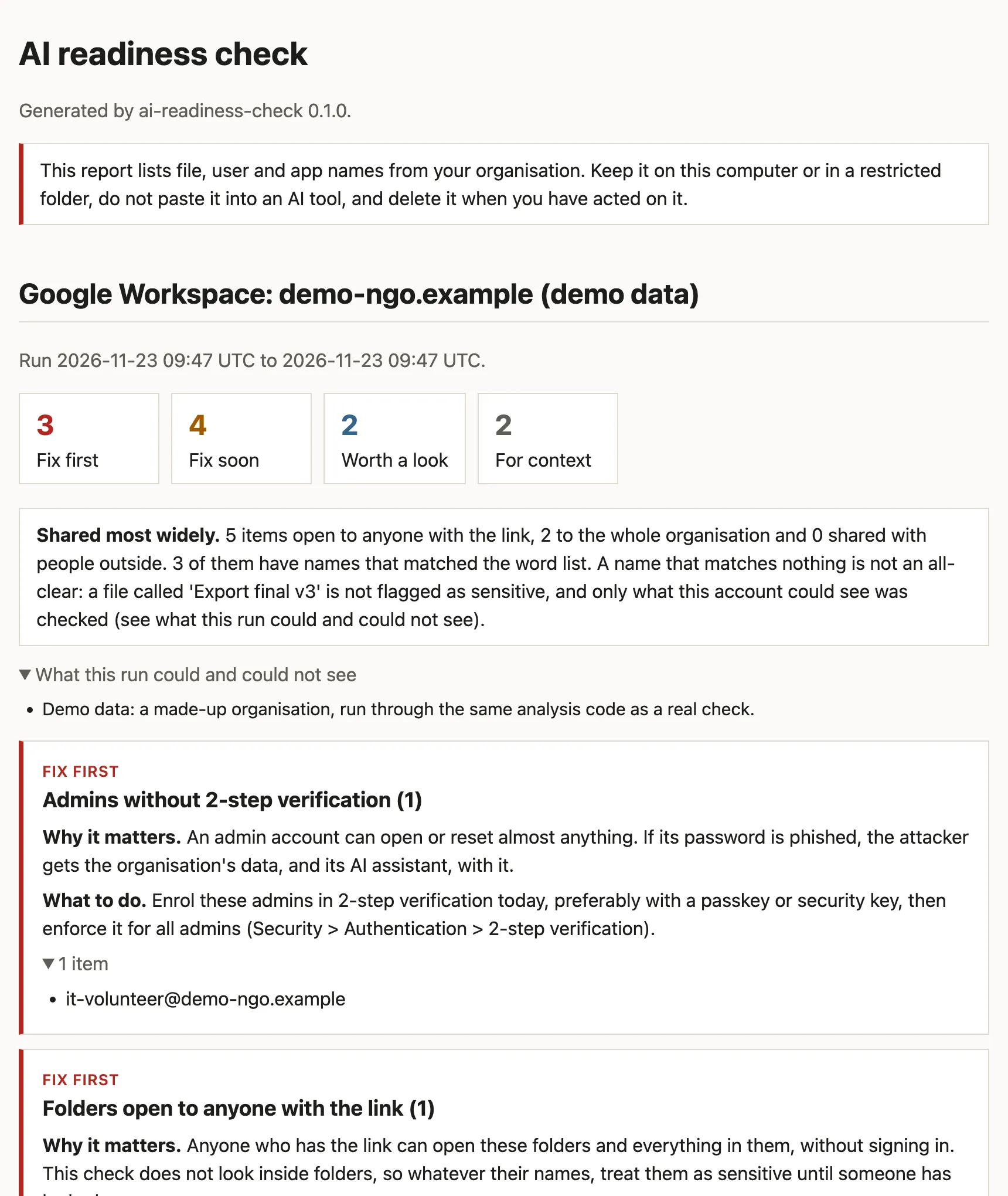
The rules it follows
- 01
Read-only
It asks only for read permissions, which Microsoft and Google enforce, and changes nothing in your tenant.
- 02
Names, not contents
It reads file names and settings. It never opens or downloads a file.
- 03
Your computer, your sign-in
Your IT person runs it. Nobody else gets a password, and the report stays with you.
- 04
Small enough to read
Python and its standard library, nothing else. Read every line before you run it.
Get started
See a full report for a made-up organisation, with no sign-in. You need Python 3.10 or newer; on Windows, type py instead of python3. No git? On GitHub, choose Code > Download ZIP, unzip it, and run the last line in that folder.
git clone https://github.com/acoseac/ai-readiness-check.git
cd ai-readiness-check
python3 -m airc demo
Open the report.html it prints.
Create a small sign-in client in your own Google Cloud project, about ten minutes, once. Then sign in through your browser as a super admin.
python3 -m airc google --client client.jsonIt asks only for read permissions and prints how to remove them at the end. No browser on that computer? The guide covers --no-browser and Google Cloud Shell. Gemini settings are not read, so check them with the checklist. Step-by-step guide →
No setup. Sign in at Microsoft’s page in your browser and approve the read permissions. Leave “Consent on behalf of your organization” unticked, so the approval covers only your account.
python3 -m airc m365Approve and run with the same admin account, one that is a member of the SharePoint sites holding case, HR and finance files: the check sees only the sites that account belongs to. The guide lists the permissions, the roles that can approve them and how to remove them. Step-by-step guide →
Then fix the Fix first items and go through the checklist. The setup expects someone comfortable with a terminal, such as an IT person or a volunteer. If nobody is, take the half-day.
For small humanitarian and civil-society organisations
A free half-day, together
Ahead of the June 2027 Geneva AI Summit, I’m running a few free guided pilots to improve this open kit. Rather not do this alone? I’ll give you half a day, free, by video call.
- Your IT person drives. We run the check on your screen. I never get a password or admin access.
- Findings stay with you. The report never leaves your computer.
- Fix the urgent things there and then, and go through the checklist together.
All I ask in return is honest feedback, so the next organisation gets a better tool.
Ideas and bugs are welcome as issues on GitHub.
Why I built it
Seven years of refugee protection with UNHCR, then more than a decade of IT and security for a foundation supporting civil society. In both, I saw organisations that couldn’t afford careful access reviews. For the people they serve, a leaked list isn’t a data breach. It’s a protection problem.
What it doesn’t do yet
It sees what the signed-in account can see, plus Google’s audit log for the last 180 days. On Microsoft 365 that means only the sites the account belongs to, and no personal OneDrives; Microsoft’s Data access governance reports cover every site, if your tenant has them. Not yet every user’s Drive. File names are a hint, not proof, so the report always counts files open by link, whatever their names. It’s a starting point, not an audit certificate.
How it’s built
Read-only permissions you can see when you approve them, enforced by Microsoft and Google, so the token can’t change anything whatever the code does. Every request goes through one small helper that refuses any address that isn’t Microsoft’s or Google’s. No external packages, just Python’s standard library, with automated tests on every change. Built with AI coding assistance under rules I set: read-only by design, names never contents. I decided what it checks and how it reports, and tested it against a live Google Workspace and a Microsoft 365 test tenant. It’s small enough to read end to end before you run it.
Read more
What it found on my own account, and why it matters: What your AI assistant can already see. Source on GitHub under Apache 2.0.